
Applications and interviews
Follow each application step by step, pick an interview time, add it to your calendar, cancel an interview or withdraw an application.
Open Applications to see every job you applied for and what happens next.
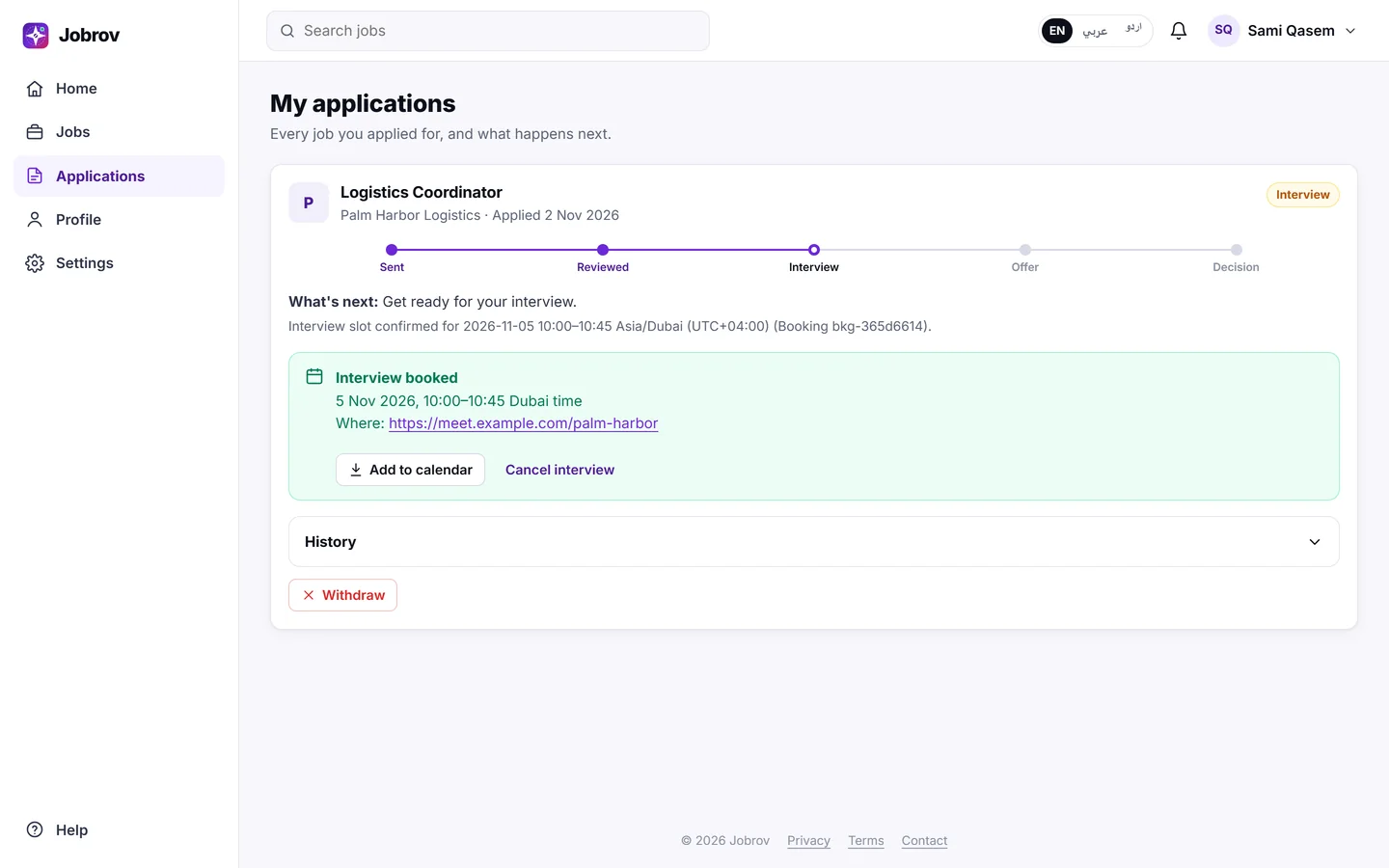
Follow your progress
Each application shows its Progress: Sent, Reviewed, Interview, Offer and finally Decision (Hired, or Closed if it did not go ahead). Under it, What's next: tells you in one line where you stand.
| Status | What it means |
|---|---|
| Sent | Waiting for the employer to look at it. |
| Reviewed | The employer looked at your application. |
| Interview | Get ready for your interview. Pick a time if times are offered. |
| Offer | The employer wants to make you an offer. |
| Hired | Congratulations! The employer will be in touch. |
| Not selected | This application is closed. Keep applying to other jobs. |
| Withdrawn | You withdrew this application. |
Open History to see every change with its date.
Book an interview time
When an employer invites you to an interview, your home page shows Action needed and the application shows Pick an interview time.
- Open Applications.
- Choose one of the offered times. Times are shown in Dubai time. A time marked taken has been booked by someone else.
- Check Where: (a meeting link or an address) and choose Book this time.
You see Interview booked. We sent you a calendar invite. The application then shows the time and place.
- Add to calendar downloads a calendar file you can open in your phone or computer calendar.
- Cancel interview cancels the booking. The employer is told.
If none of the times suit you, you do not have to book one. The employer can send you new times.
Withdraw an application
If you no longer want a job, choose Withdraw on the application and confirm. The employer will no longer see it as active. You cannot undo this, but you can apply to the employer's other jobs.
E-mails about your applications
Jobrov e-mails you when your application is received, when it moves to Interview, Offer or Hired or is closed, when interview times are waiting for you, and when an interview is booked or cancelled. You can turn these e-mails off in Settings: see Job alerts and settings.