
Check and edit your profile
Fix what Jobrov read from your CV, add your basic details and the salary you want, and choose what employers can see.
Open Profile to see everything employers see when you apply. Take a minute to check it after every CV upload.
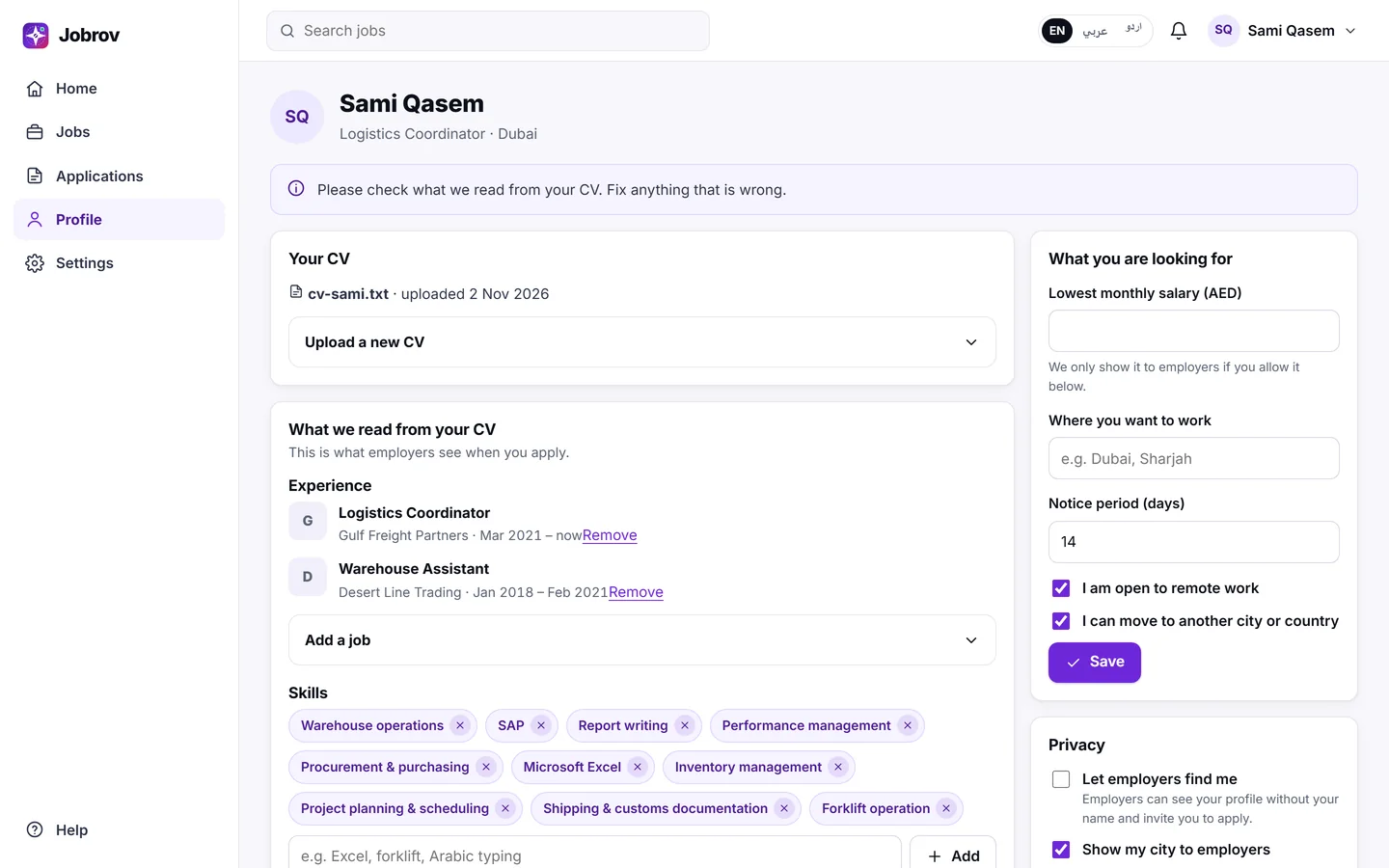
What we read from your CV
This part shows your Experience, Skills and Licences, as read from your CV.
- To add a job, choose Add a job, fill in Job title, Company, Start and End month, and save. Leave End empty if you still work there.
- To remove a job or a skill that is wrong, choose Remove next to it.
- To add a skill, type it in Add a skill (for example Excel or forklift) and choose Add.
Licences are read from your CV and cannot be edited here. If one is missing, add it to your CV and upload it again.
Uploading a new CV replaces the jobs and skills on this page, including the ones you added by hand.
Basic details
Under Basic details you can change your name, Headline, City and Phone. A good headline tells employers what you do in one line, for example "Accountant with 5 years in retail".
What you are looking for
- Lowest monthly salary (AED): the least you would accept.
- Where you want to work: up to 8 cities or places.
- Notice period (days): how soon you can start, from 0 to 180 days.
- I am open to remote work and I can move to another city or country.
Jobrov uses these to show you better matches.
Privacy
- Show my city to employers: when this is off, employers do not see your city.
- Show my lowest salary to employers: when this is off, the salary you want stays private and is only used to match you.
Hide a company
If there is a company you do not want to deal with (for example your current employer), go to Hidden from companies, choose it in Pick a company and choose Hide from this company. Only companies with open jobs on Jobrov are listed. Jobrov then stops showing you that company's jobs in your matches, search and job alerts. Choose Show again to undo it.
Your home page checklist
Your home page shows a short checklist: Upload your CV, Add the salary you want, Add your city, Turn on job alerts and Apply for a job. Each step improves your matches.