
Upload your CV
Which CV files Jobrov accepts, what it reads from them, what happens when you upload a new CV, and how to fix a CV that cannot be read.
Your CV is the heart of your Jobrov profile. Jobrov reads it once, fills in your profile, and uses it to show which jobs fit you and why.
Upload your CV
- Open Profile, or choose Upload my CV on your home page.
- Drop your file on Drop your CV here or tap to choose, or tap it to pick a file.
- Wait a moment while Jobrov reads it. When it is done you see Your CV was read. Please check your profile.
You can upload a PDF, a Word file (DOCX) or a plain text file, up to 4 MB. No file, or only a scan? Choose No file? Paste your CV as text, paste your CV and choose Upload CV.
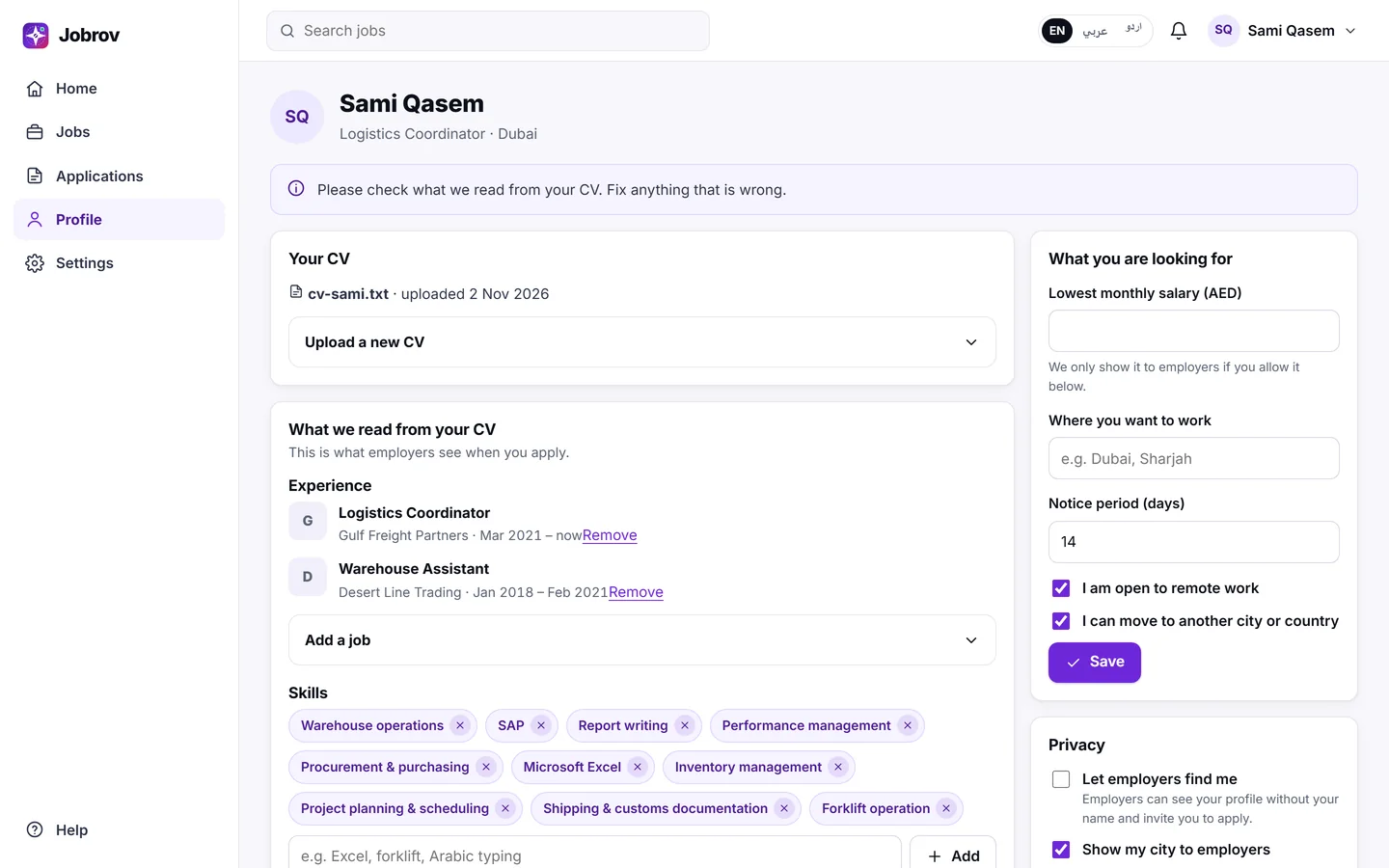
What Jobrov reads
Jobrov reads your jobs (title, company, start and end month), your skills, languages, education, licences and how many years of experience you have. It shows all of this under What we read from your CV. This is what employers see when you apply, so check it and fix anything that is wrong. See Your profile.
Jobrov does not read or keep your age, gender, religion, nationality, marital status or health from your CV, and employers cannot filter on them. See Privacy and fairness.
Your CV stays private. Employers see it only when you apply to one of their jobs.
Upload a new CV
Choose Upload a new CV on your profile. Jobrov reads the new file and replaces the jobs and skills it read before.
Jobs and skills you added by hand are replaced too. Your name, city, phone, the salary you want, your privacy choices and your share link stay as they are.
Jobrov reads up to 5 new CVs for you each month; the count starts again on the 1st. Upload a new CV when it has really changed.
If your CV cannot be read
| Message | What to do |
|---|---|
| This file looks like a scan | The file is a picture of a page. Save your CV again as a text PDF or Word file and upload that. |
| This PDF is password protected | Save a copy without a password and upload it. |
| We could not read enough text in this file | A CV needs at least 60 words. Upload your full CV, or paste it as text. |
| We could not open this file | The file is damaged or unusual. Try saving it as a PDF. |
| This file is too big | Make the file smaller than 4 MB, for example by removing photos. |
| You reached this month's limit of CV reads | You have used this month's CV reads. Your current profile stays as it is. You can upload again from the 1st of next month, or contact us. |
If your CV is a scan, choose No file? Paste your CV as text on your profile and paste the text instead. You can do the same when you apply through a job's public link. See Apply for a job.