
Applicants board and Best first
Follow every applicant on the board from New to Hired, move people between stages, and use Best first to see who fits your must-haves.
Open a job from Jobs to see its applicants. You can look at them in two ways: Board and Best first.
The board
The board has a column for each stage: New, Reviewed, Interview, Offer, Hired and Not a fit. Each card shows the applicant's name, when they applied and their fit (Strong fit, Good fit, Partial fit or Unknown).
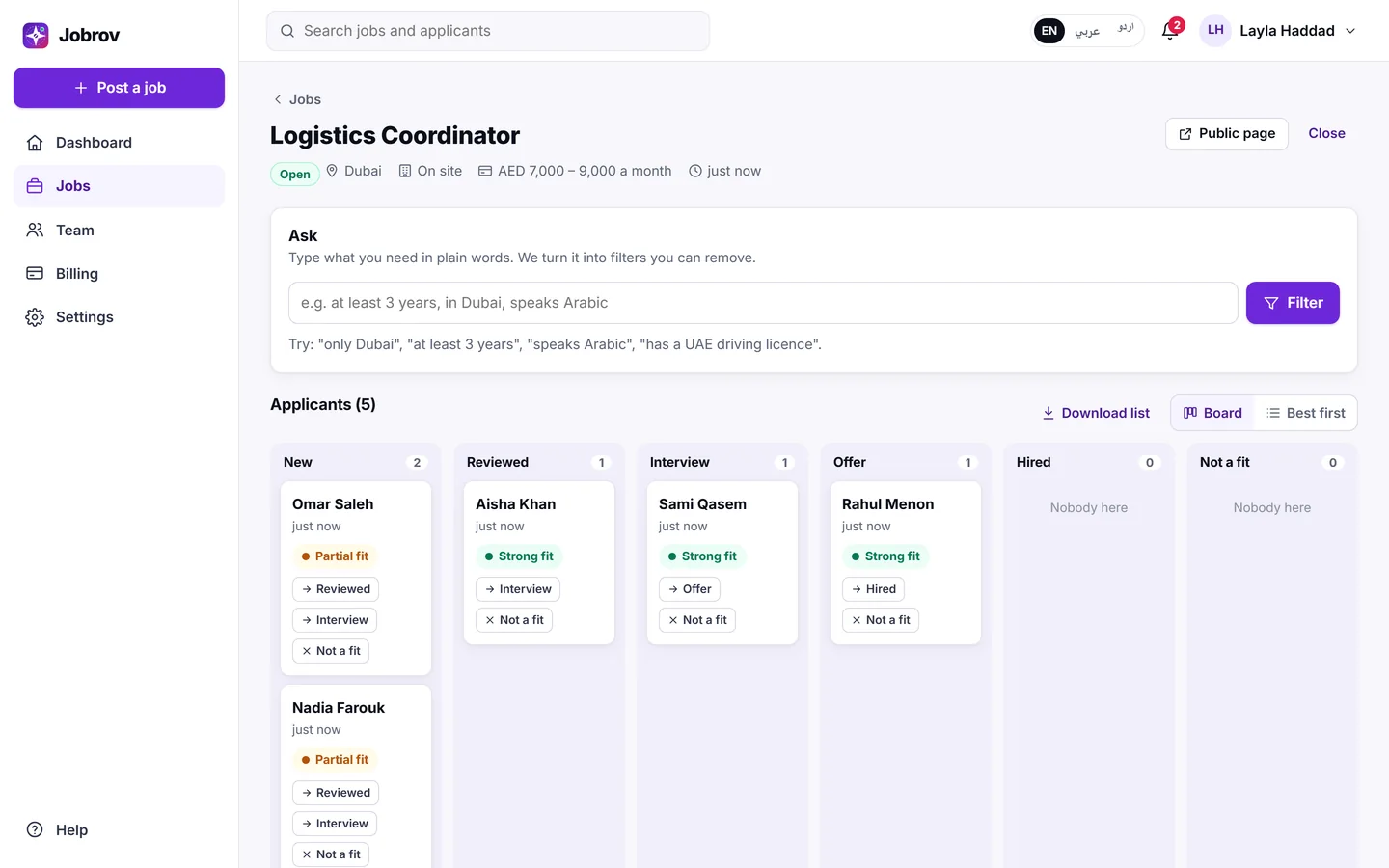
Move someone with the buttons on their card:
| From | You can move to |
|---|---|
| New | Reviewed, Interview, Not a fit |
| Reviewed | Interview, Not a fit |
| Interview | Offer, Not a fit |
| Offer | Hired, Not a fit |
| Not a fit | Reviewed |
Moving someone to Not a fit asks you to confirm first, and the applicant is told politely. Applicants who withdraw leave the board. Their names are listed under it, after Withdrew their application:.
Choose a name to open the full candidate page. See Review a candidate.
Best first
Best first lists the same applicants as a ranked list: strongest fit first. For each person you see their stage, when they applied, a line such as "3 of 4 must-haves met", and up to four of your must-have requirements:
- a tick, with the line from their CV that proves it,
- a cross when the CV shows something that does not meet it,
- a question mark when the CV does not say.
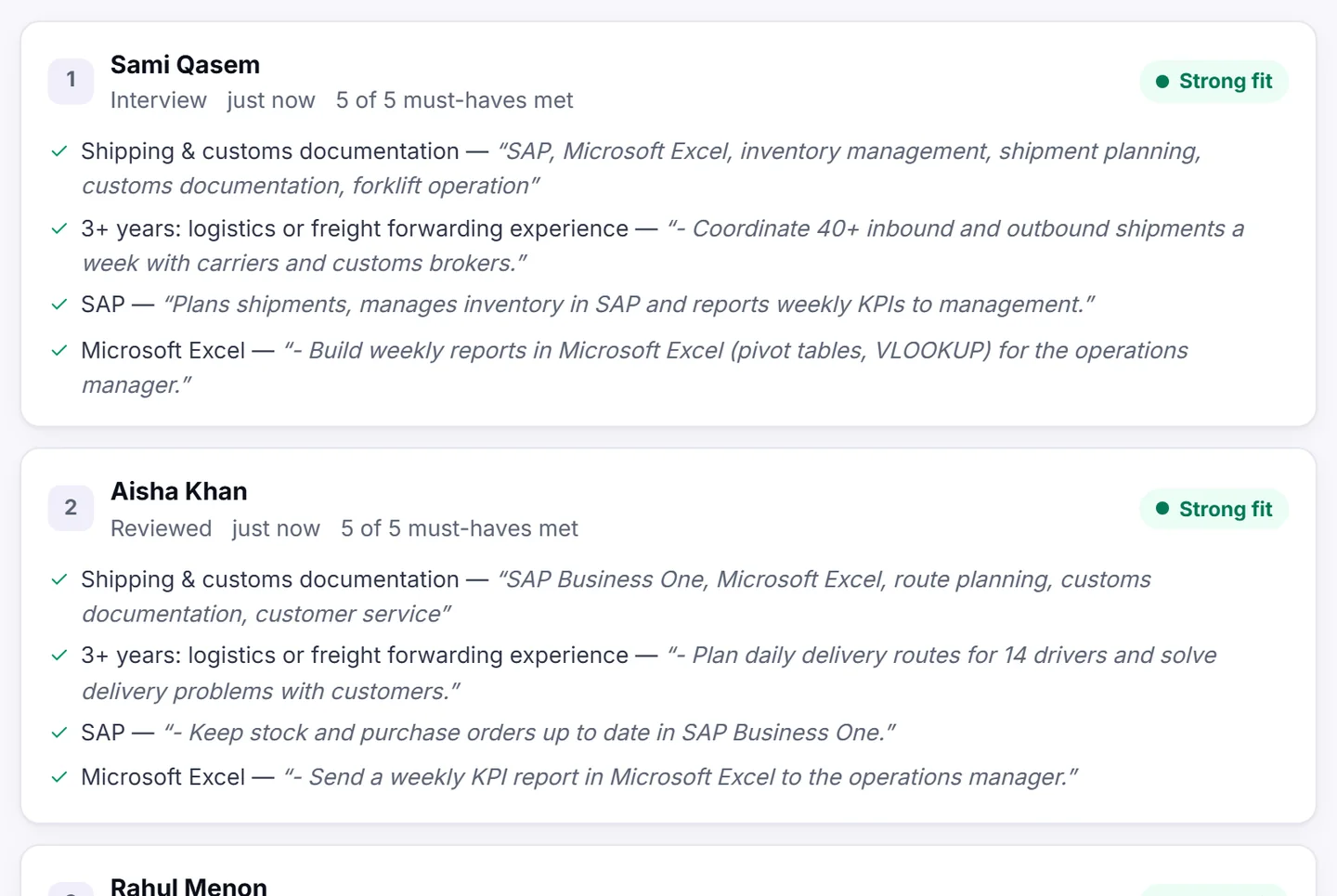
The order is based on how many of your must-haves each CV shows. It is a starting point, not a decision: always read the evidence yourself.
What fit means
| Label | What it means |
|---|---|
| Strong fit | The CV shows every must-have, and most of the rest. |
| Good fit | The CV shows every must-have, with a few other points still open. |
| Partial fit | The CV does not show at least one must-have, or shows something that does not meet it. |
| Unknown | There is not enough to compare. |
Jobrov never turns fit into a percentage.
Narrow the list
Use Ask at the top of the job page to filter applicants in plain words, for example "at least 3 years, in Dubai". See Ask: filter applicants in plain words.
Search
The search box at the top of every employer page finds jobs and applicants by name or word.