
Review a candidate
Read what each CV shows for every requirement, download the CV, add team notes and scorecards, and move the candidate with an optional message.
Choose an applicant's name on the board or in Best first to open their candidate page.
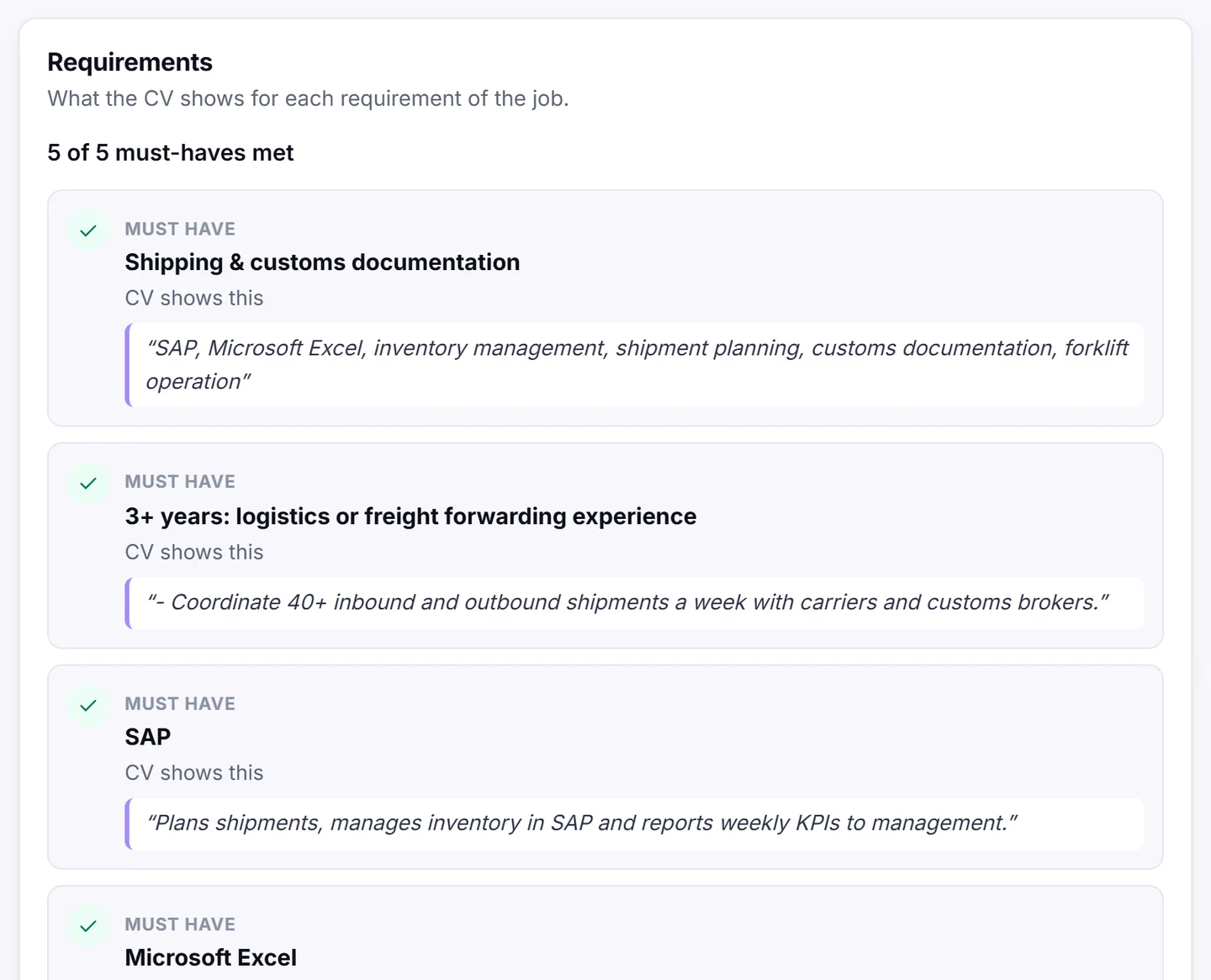
Requirements
The Requirements card shows what the CV shows for each requirement of the job, with a line such as "3 of 4 must-haves met":
- CV shows this, with the words from the CV that prove it.
- CV does not meet this: the CV shows something different, for example fewer years.
- CV does not say: the CV does not mention it. Ask the candidate in the interview.
About the candidate
The About card shows the candidate's headline, years of experience, languages, notice period and recent jobs. Their city and the lowest salary they asked for appear only if the candidate chose to share them.
- Download CV downloads the CV the candidate sent. If they pasted their CV as text, it downloads as a text file (cv.txt). If there is no CV file at all, you see No CV file. The CV text is below.
- Read CV text opens the full text of the CV on the page.
Every CV download is recorded in your activity log.
Team notes
Write notes in Add a note and choose Save note. Only your team sees notes. The candidate never sees them.
Scorecards
After an interview, each team member can open Add your scorecard:
- Rate Skills, Fit for the role, Communication and Proof of experience from 1 to 5.
- Choose Your recommendation: Strong yes, Hire, Leaning yes or No.
- Add Notes if you like, and choose Save scorecard.
The card shows everyone's scorecards and the average score.
Move the candidate
Use the Stage card:
- Choose the new stage in Move to.
- If you like, write a short Message to the candidate (optional), for example "Thank you, we would like to meet you." It is shown on the candidate's applications page in Jobrov.
- Choose Update.
To turn someone down, choose Not a fit and confirm. The candidate is told politely.
When you move someone to Interview, Offer or Hired, or mark them as not a fit, Jobrov e-mails the candidate about 10 minutes later.
If the candidate withdrew, the page says so and you can no longer change the stage or offer interview times.
History
The History card lists when the candidate applied and every stage change, with dates.