
Schedule interviews
Offer the candidate up to three interview times, let them pick one, and add the booked interview to your calendar.
You do not need to agree a time by phone. Offer up to three times, the candidate picks one, and you both get the details.
Offer interview times
- Open the candidate page.
- In the Interview card, open Schedule an interview.
- Fill in up to three times: Time 1, Time 2 and Time 3. Times are in Dubai time and must be at least 30 minutes from now.
- Choose the Length: 30, 45, 60 or 90 minutes.
- In Where, add a meeting link or an address, for example "our office in Business Bay".
- Choose Send times.
You see Times sent. We will tell you when the candidate picks one. Jobrov moves the candidate to Interview and e-mails them to pick a time. While you wait, the card shows Waiting for the candidate to pick a time: with each time marked free or taken.
If you already have another interview booked at one of these times, Jobrov marks that time as taken so the candidate cannot pick it.
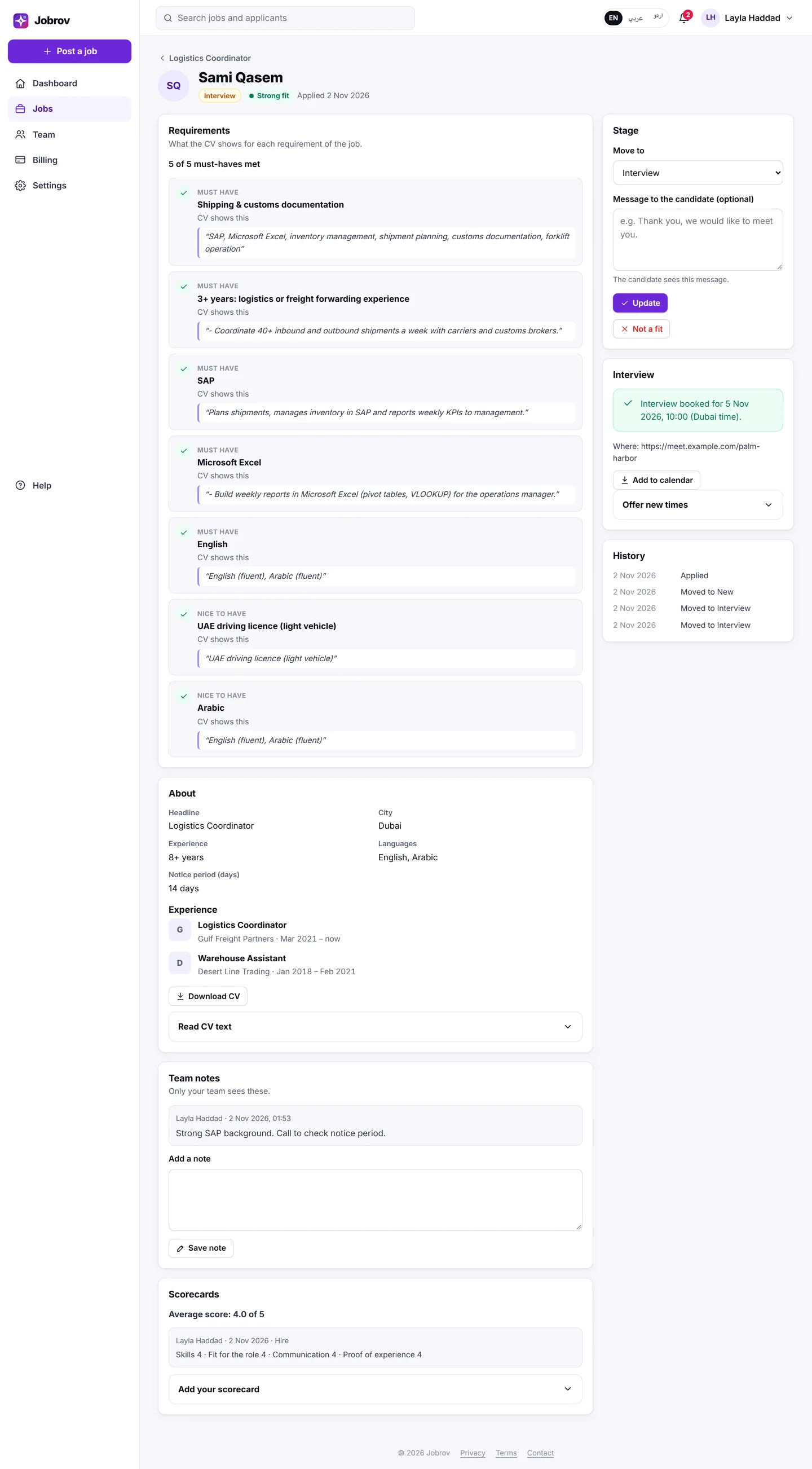
When the candidate books
The card shows Interview booked for… with the time (Dubai time) and the place, and your team gets an e-mail. Choose Add to calendar to download a calendar file for your phone or computer calendar.
Booked interviews also appear under Upcoming interviews on your dashboard.
Change the times
Open Offer new times in the same card and send new times. If the candidate cancels a booking, you get an e-mail and can offer new times.
You cannot offer times to a candidate who withdrew their application.
Only the candidate can cancel a booked interview in Jobrov. If you need to cancel, tell the candidate and send new times.