
Start your free trial
Create a company account on Jobrov and use it free for 30 days with no card. What works during the trial and what happens after.
Every new company gets a 30-day free trial. You do not need a card to start.
Create your company account
- Open Create an account on Jobrov.
- Under I am, choose Hiring.
- Type Your name, your Company name, your Work e-mail and your Country.
- If you want a password, type one in Password (optional) (at least 10 characters). You can leave it empty and sign in with e-mail codes.
- Agree to the Terms and Privacy notice and choose Create my account.
- Type the 6-digit code we e-mail you and choose Continue.
Signing in later works the same way as for job seekers: see Sign up and sign in.
Your dashboard
After you sign in, Jobrov opens your Dashboard. It shows your open jobs, new applicants, interviews and all applicants, a To review list of people waiting for a reply, Upcoming interviews, and what you have used This month.
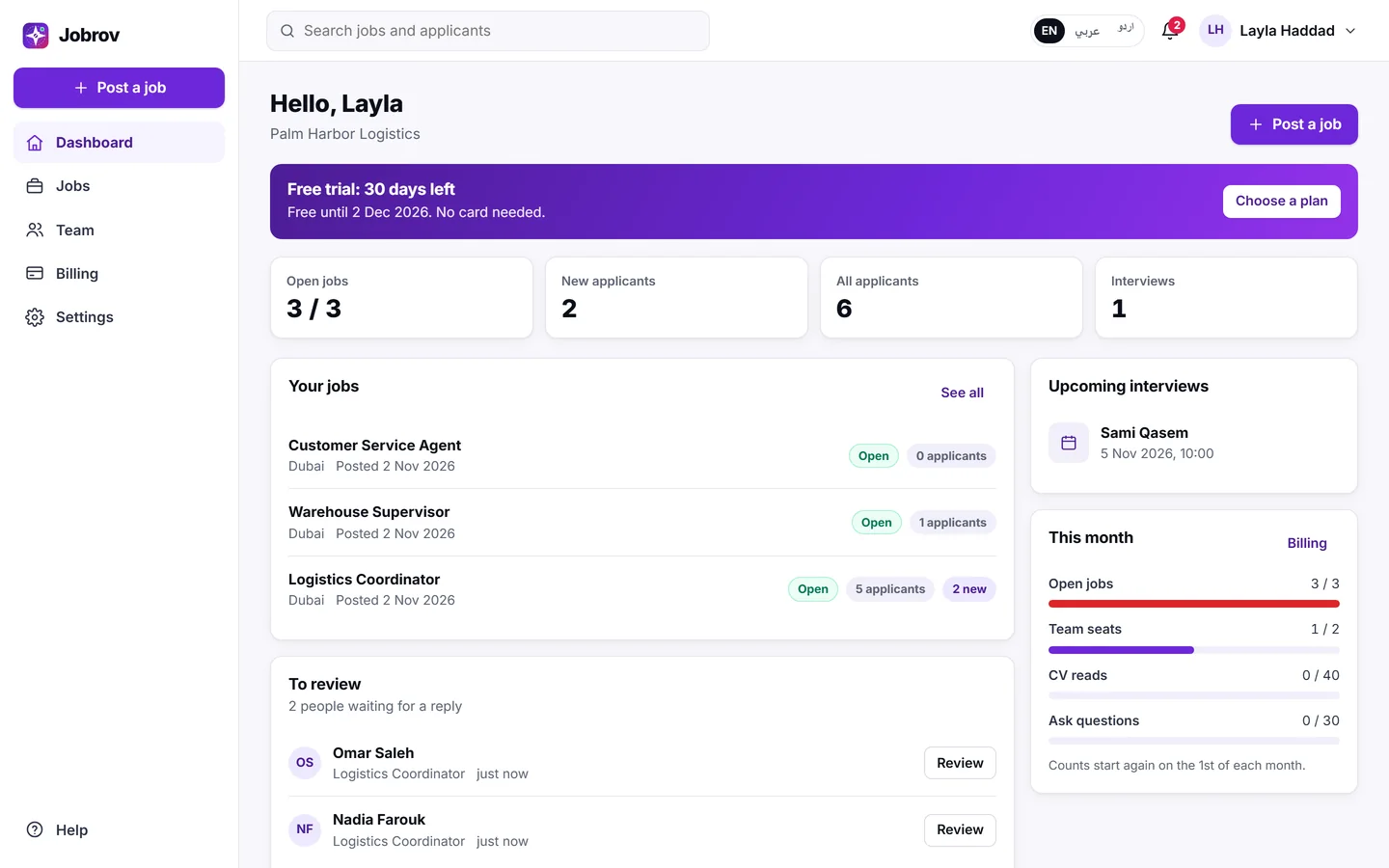
The banner at the top shows how many days of your trial are left. Choose Try any plan free to open Billing, where you can try another plan or pay to keep going after the trial.
What you can do during the trial
Everything. Your trial starts on the Starter plan: 3 open jobs, 2 team members and 30 Ask questions a month. To try a bigger plan for free, open Billing and choose Try Growth free or Try Scale free. Nothing is charged, and your trial end date stays the same. See Plans and billing.
When the trial ends
Jobrov e-mails the account before the trial ends and when it has ended. After that, your account becomes read-only until you choose a plan:
- You can still see your jobs, applicants and CVs, and download your lists.
- You can still move applicants between stages, mark them as not a fit, write notes and scorecards, close jobs, and remove team members.
- You cannot publish or reopen jobs, invite people, schedule interviews or use Ask until you choose a plan.
Choose a plan on Billing to unlock everything again. Nothing is deleted when the trial ends.